3DS Library
3DS 2.0 library overview
In some scenarios, in addition to anti-fraud, you must use the 3DS 2.0 Library (for example, debit card transactions). This integration is done via a JavaScript library provided by
What is 3DS 2.0?
3DS 2.0 is an advanced technology that follows strict security standards (especially driven by European regulations). Its goal is to help issuing banks identify fraud while keeping the customer experience smooth and secure.
How it works
- Customer information: The customer fills in card details (credit or debit) and confirms the purchase.
- Data collection: The payment processor gathers up to ~100 data points about the transaction (e.g., card number, IP address, etc.).
- Sent to the issuer: These data points are sent to the issuing bank using certified technology.
- Validation: In some cases, a “challenge” is requested for the customer to confirm identity, providing maximum security.
Possible flows
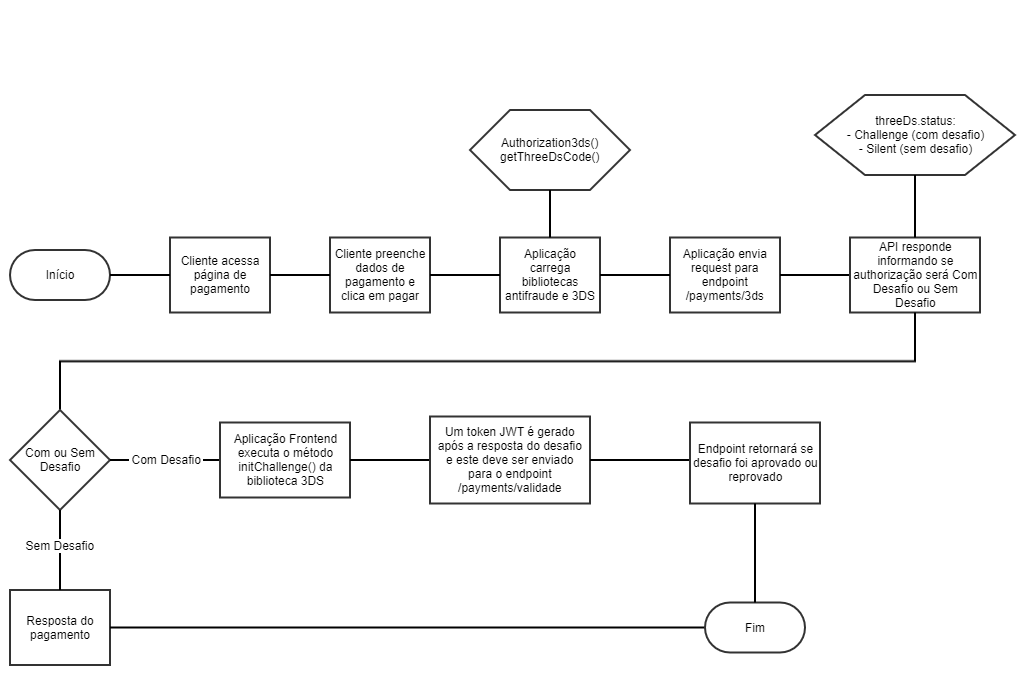
For 3DS authentication there are two main scenarios:
- Frictionless (no challenge): The issuer bank does not request any additional customer action.
- Challenge: The customer must validate the transaction (e.g., confirm a code sent to their phone).
Browser data collection
Before processing the payment, the library collects browser/device information that must be sent to the /payments/3ds endpoint. Required data includes:
- Browser language (
httpBrowserLanguage) - Java enabled (
httpBrowserJavaEnabled) - JavaScript enabled (
httpBrowserJavaScriptEnabled) - Color depth (
httpBrowserColorDepth) - Screen resolution (
httpBrowserScreenHeightandhttpBrowserScreenWidth) - Time zone offset (
httpBrowserTimeDifference) - User agent (
userAgentBrowserValue)
Example:
const browserData = {
  httpBrowserLanguage: navigator.language || navigator.userLanguage,
  httpBrowserJavaEnabled: navigator.javaEnabled() ? "Y" : "N",
  httpBrowserJavaScriptEnabled: "Y", // Assuming JS is enabled
  httpBrowserColorDepth: screen.colorDepth,
  httpBrowserScreenHeight: window.innerHeight,
  httpBrowserScreenWidth: window.innerWidth,
  httpBrowserTimeDifference: new Date().getTimezoneOffset(),
  userAgentBrowserValue: navigator.userAgent
};
Additionally, the 3DS library generates a code3ds value that must also be sent to your backend.
Along with 3DS, you must also implement the anti-fraud library.
3DS 2.0 library implementation
Download links
- Sandbox: adiq-3ds-package-hml-1.0.2-min.js
- Production: adiq-3ds-package-1.0.2-min.js
Note: It’s recommended to download and store the files locally in your project, avoiding external DNS references due to possible issues during updates.
Implementation steps
jQuery (version 3.3.1 or higher) is required for the 3DS library.
-
Inject the library
- Download and save the library in your project.
- Reference the JavaScript file in the checkout page HTML.
-
Front-end integration
-
Implement the code on the checkout/payment page where the “pay” button is available to end customers (the same screen where credit/debit card data is entered).
-
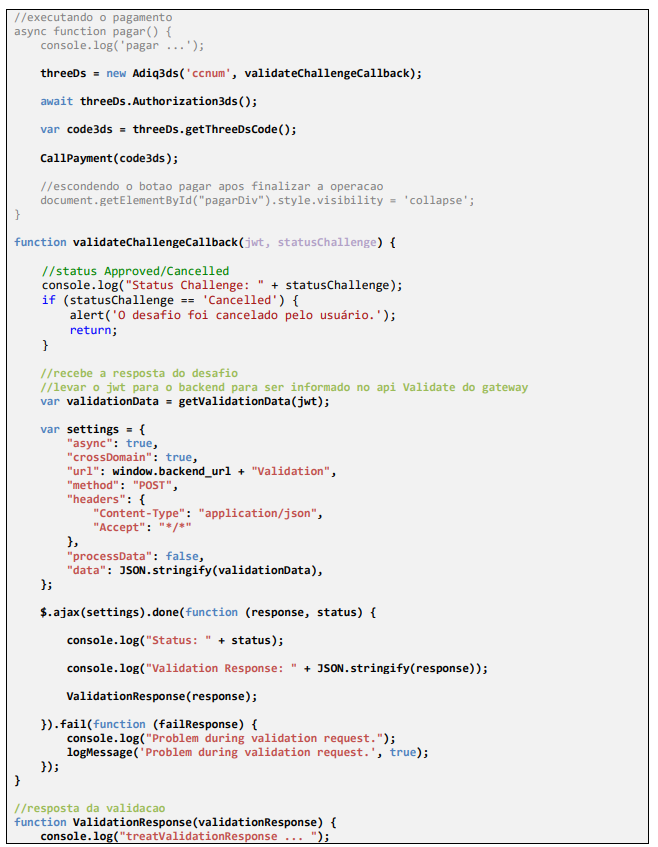
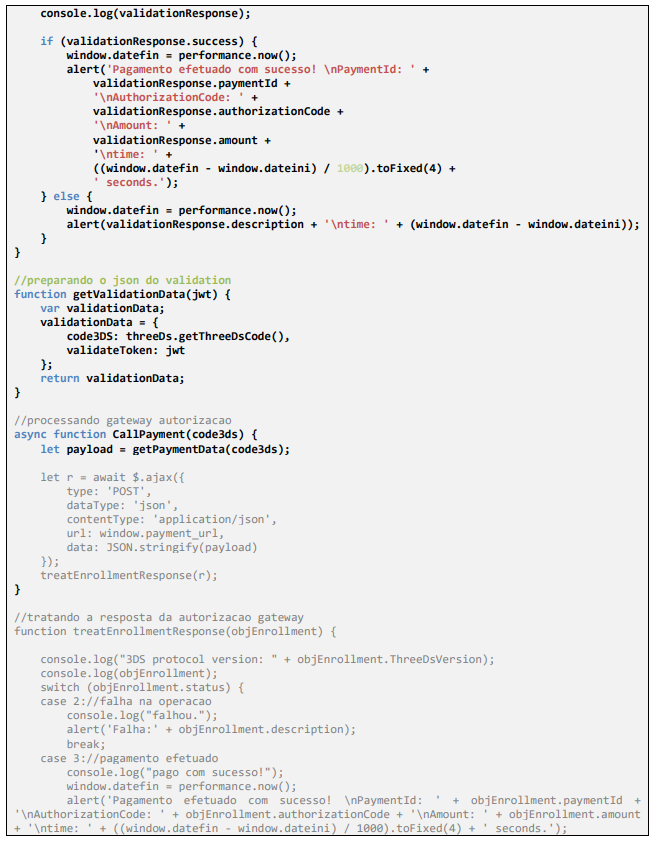
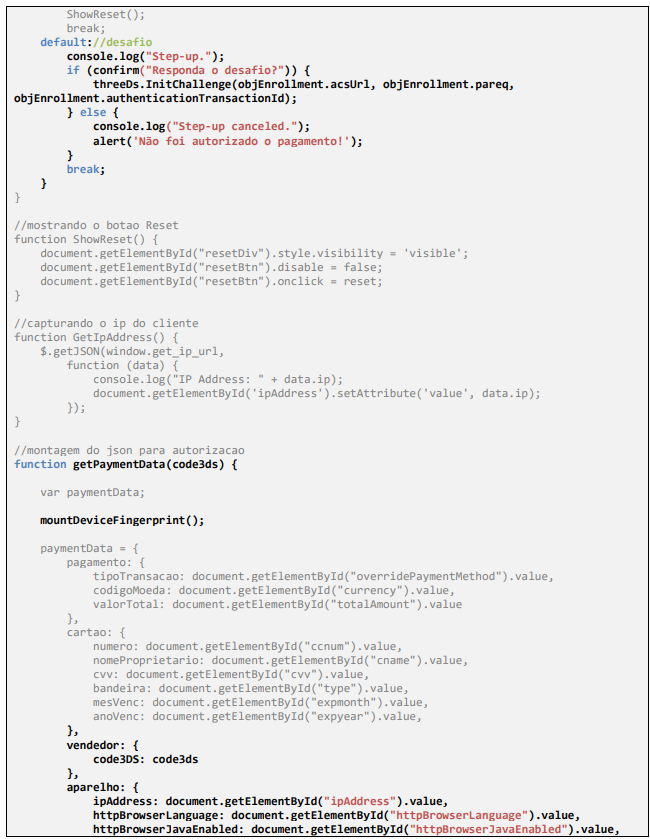
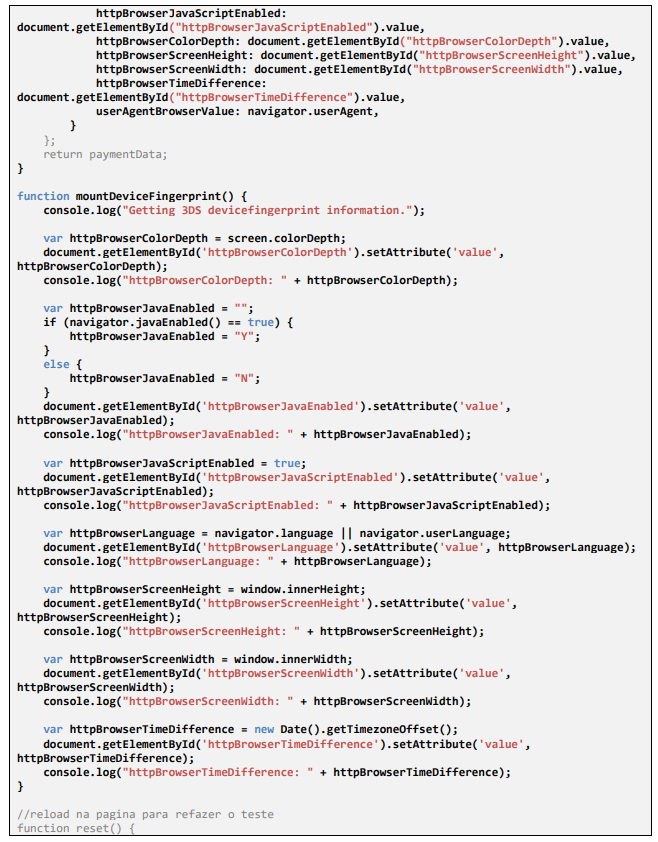
The images below show an example
index.jsthat simulates a payment page. Focus on the highlighted sections related to 3DS; the gray sections are baseline e-commerce code.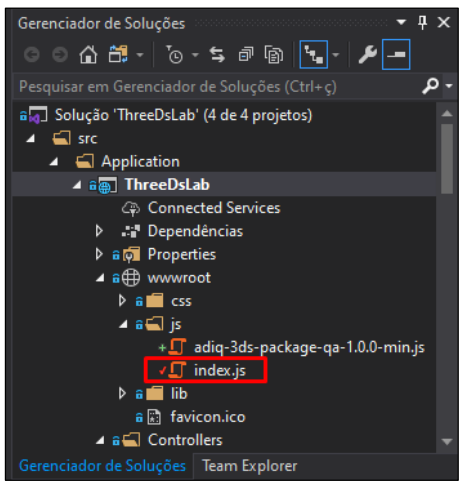


-
-
Testing and validation
-
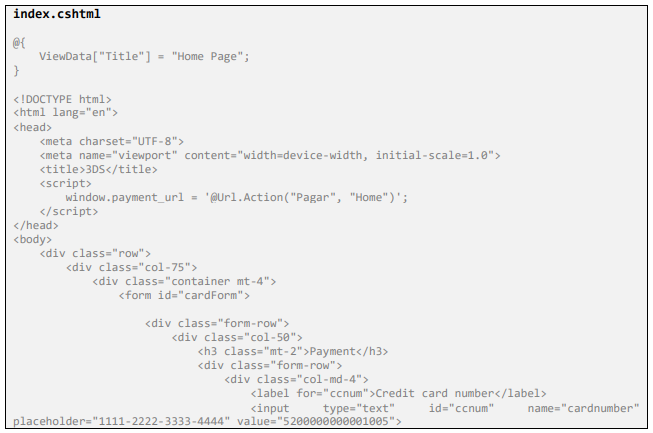
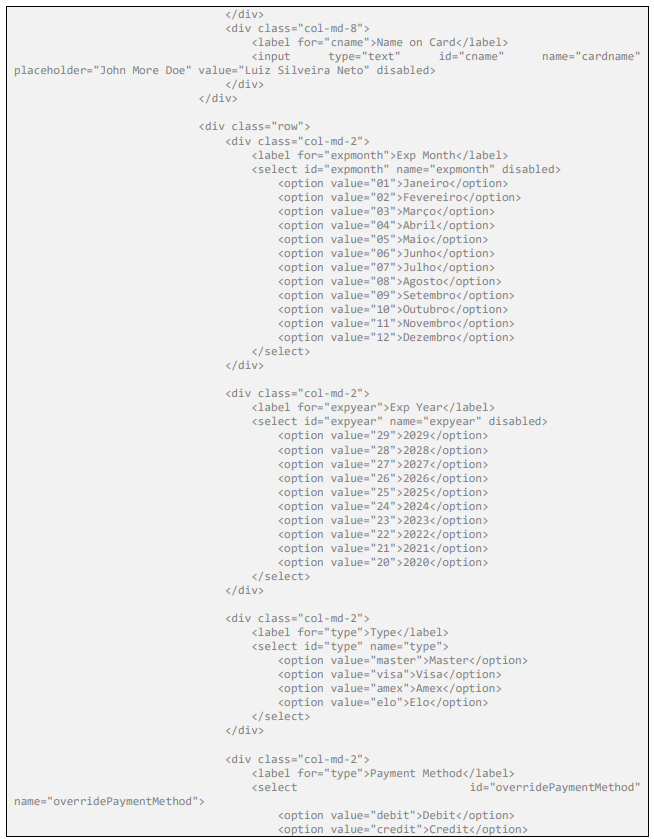
To test, implement a checkout page with fields for payer and card data, similar to the example below. Don’t forget to import the 3DS JavaScript, which is not shown in the snippet because it is included in a master layout page.
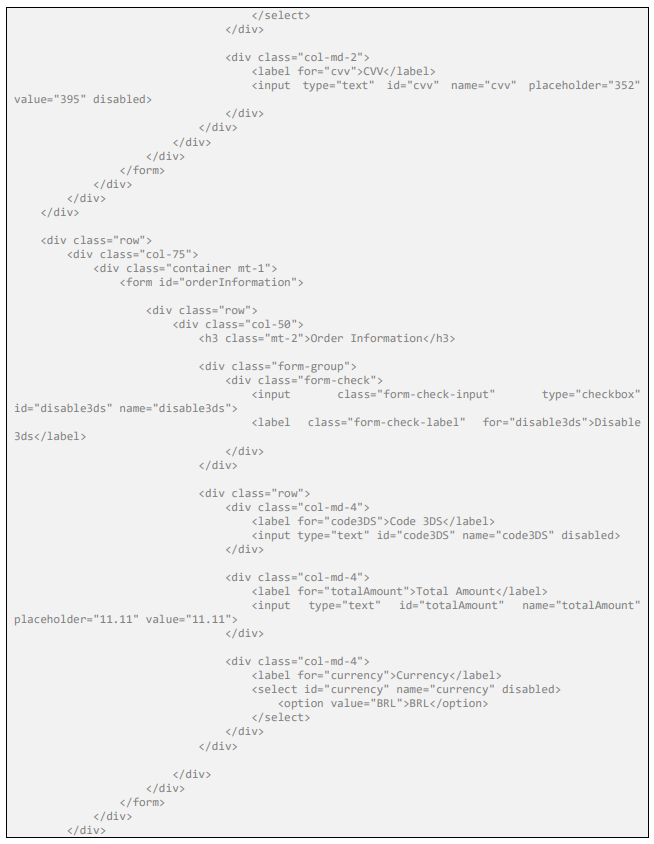
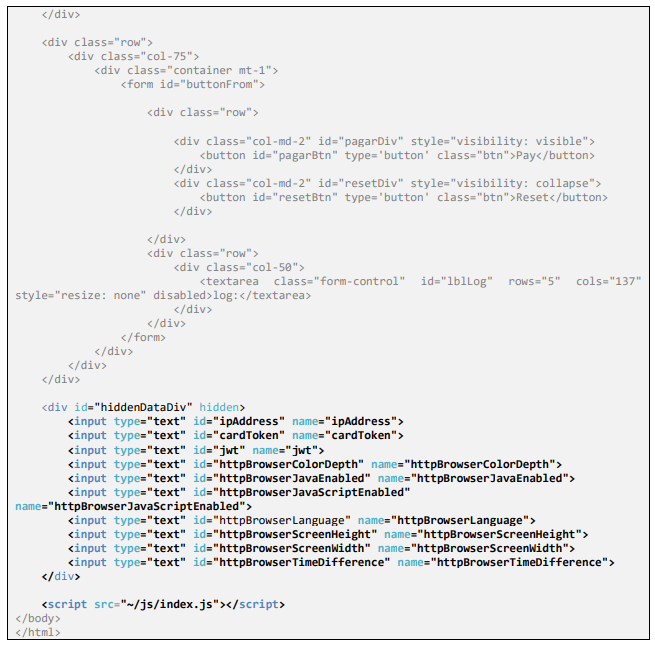
-
3DS 2.0 benefits
- Higher security: Reduces fraud risk in online transactions.
- Optimized experience: Smooth integration across sites and apps.
- International compliance: Aligned with strict security standards.
Developer tips
- Ensure your integration environment is secure and compatible.
- Run broad tests across common and edge-case scenarios.
- Track library updates to ensure you’re using the latest version.
For questions or support, contact the