Sales Made
The
What is shown?
-
Date filter
- When you open the page, you can select the desired period to view completed sales using the date filter at the top.
-
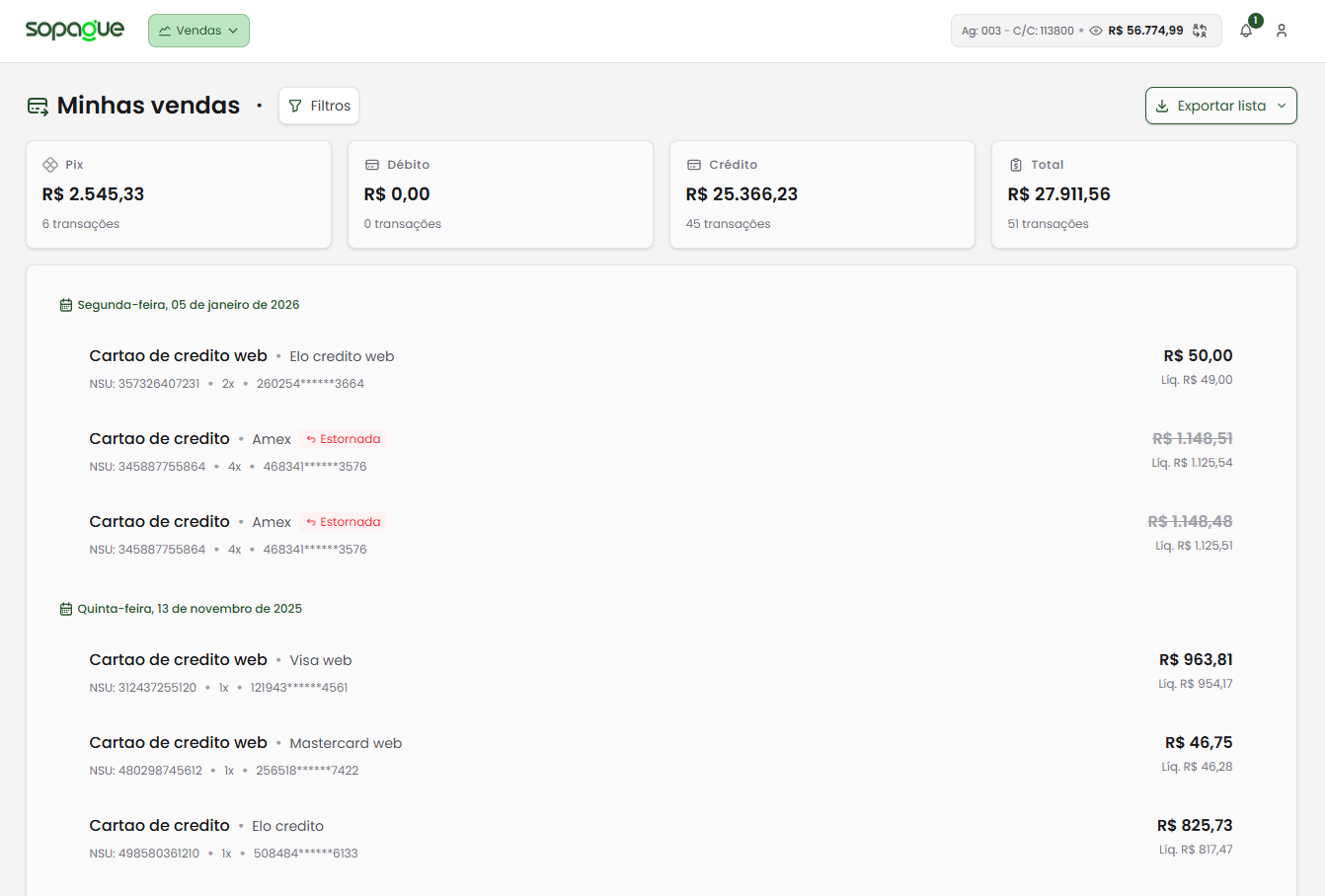
Summary of processed amounts
- The page shows a general summary of processed amounts, organized by operation type, such as Credit, Debit, and Pix.
- These summaries help you quickly identify totals by payment method.
-
Transaction list
- Below the summary, a detailed list shows all sales completed within the selected period.
- Each transaction includes:
- Card brand.
- Operation type (e.g., debit, credit).
- Transaction date and time.
- Operation details, such as authorization number (NSU).
- Transaction details
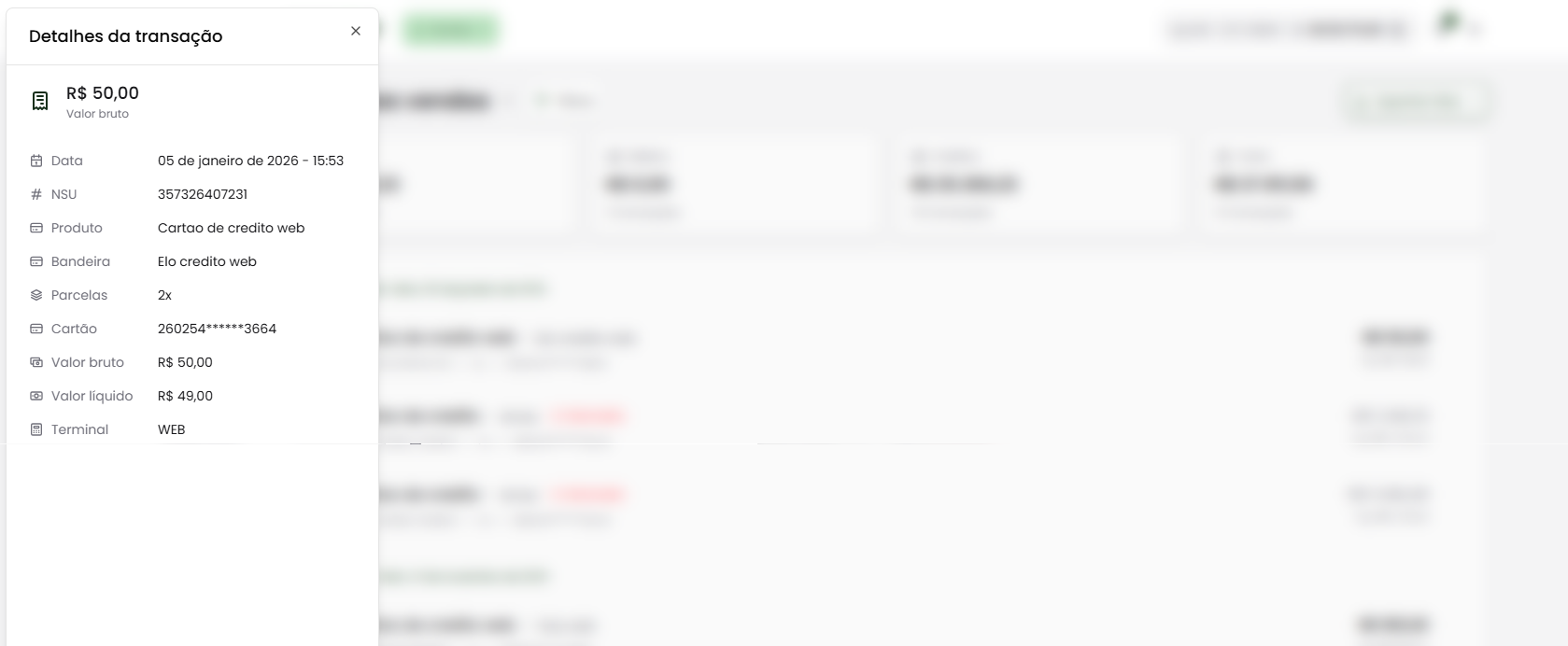
- By clicking a transaction in the list, you can view detailed information about the operation, such as:
- Gross and net amount.
- Date, time, and terminal used.
- Number of installments (when applicable).
- By clicking a transaction in the list, you can view detailed information about the operation, such as:
- Data export
- To facilitate analysis and integration with other systems, you can export the Operations Conciliation EDI by clicking the Exportar button in the top-right corner.
How to use this feature
- Filter by dates: Select the period you want to review to find relevant transactions.
- Review summaries: Use the displayed values to quickly understand financial performance by payment method.
- Check details: Click a specific transaction to access detailed information and validate the operation.
- Export data: Use the export button to generate reports and integrate them into your financial systems.
Benefits
- Full traceability: Track and validate every transaction with detailed information.
- Quick analysis: View totals across payment types clearly and in an organized way.
- Easy export: Integrate data directly with your systems via EDI.
With Sales Made, you get a complete, detailed view of your sales performance, providing more control and convenience in financial management. If you need help with export or interpreting the data, our support team is ready to help.